爆速ではないが、正確にGatsbyjsで静的ブログサイトを構築する方法
目次
前提
- Github アカウントは取得しておいてね
- 以下の知識
- Node.js
- Git
開発環境
macOS Mojave
できること
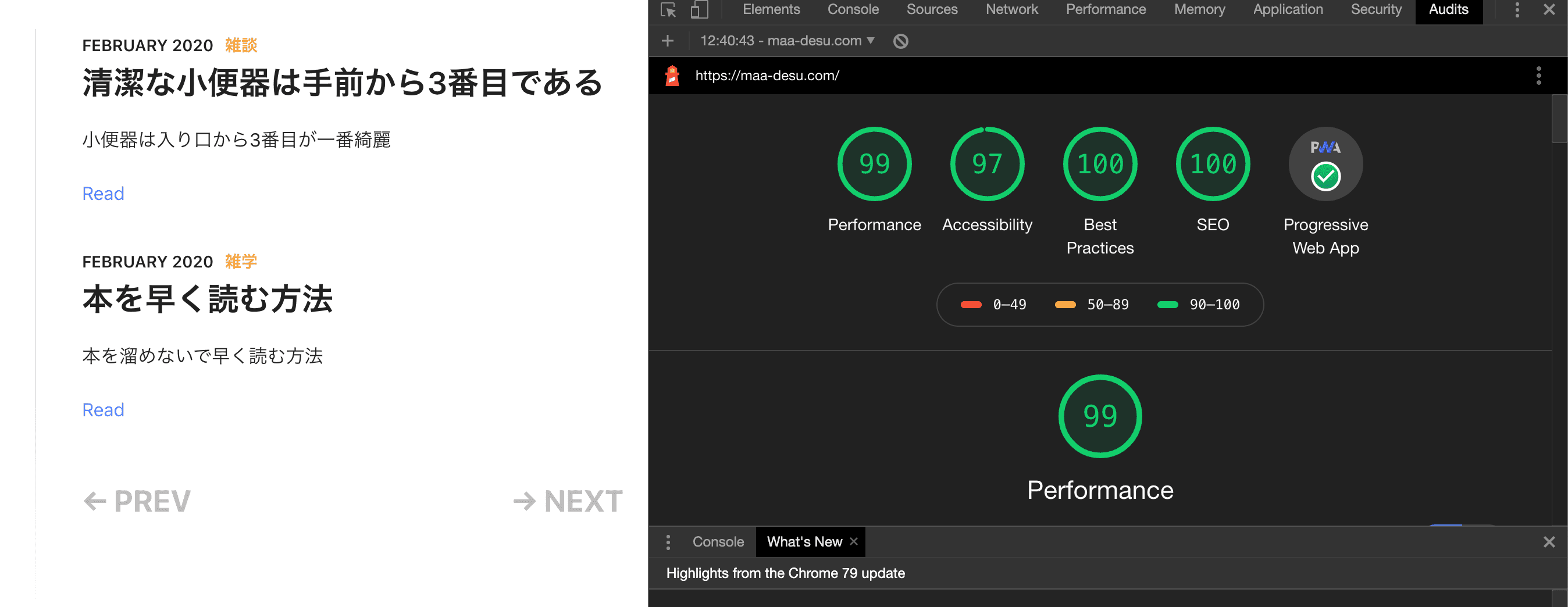
このサイトを構築できまっせ
- Audits でみたらなんか数値が高い
静的サイトってなに
とにかくページを開くのが早いサイトです(雑)
登場人物
静的ブログサイト構築手順
Gatsbyjs のチュートリアルを学習する
- 公式のチュートリアル
- 0-8 まで一通りすれば、Gatsbyjs と React についてなんとなく理解できるはずです(雑)
Gatsbyjs のスタータープロジェクトを選択する
Gatsbyjs のスタータープロジェクトをローカルに落としてくる
- 以下のコマンドでローカルに落とす
newはご自身のプロジェクト名に適宜変更すべし
gatsby new gatsby-starter-lumen https://github.com/alxshelepenok/gatsby-starter-lumen- 自身のプロジェクトフォルダに移動して、ローカルで実行する
yarn,gatsbyコマンドはインストールしてね
cd new
yarn install
gatsby developlocalhost:8000にアクセスすれば、スタータープロジェクトを見ることができる- ローカル環境で実行しているだけなので、まだ外部からはサイトにアクセスはできないよ
- ホットリローディングなので、ローカルでコードを変更すれば、即座にサイトに反映される
Gatsbyjs の中身を変更する
- 基本的にスタータープロジェクトの使い方は、Github の README に書いてある
- このスタータープロジェクトに関して、記載していく
- ファイル構成は、落としてきた時点でこうなっている
└── content
    ├── pages
    └── posts
└── static
    ├── admin
    └── media
└── src
    ├── assets
    │   └── scss
    │       ├── base
    │       └── mixins
    ├── cms
    │   └── preview-templates
    ├── components
    │   ├── Feed
    │   ├── Icon
    │   ├── Layout
    │   ├── Page
    │   ├── Pagination
    │   ├── Post
    │   │   ├── Author
    │   │   ├── Comments
    │   │   ├── Content
    │   │   ├── Meta
    │   │   └── Tags
    │   └── Sidebar
    │       ├── Author
    │       ├── Contacts
    │       ├── Copyright
    │       └── Menu
    ├── constants
    ├── templates
└── utils- 記事を追加したいときは、
postsフォルダに新しいファイルを作っていくよ- 書き方は、デフォルトで存在している記事の中身を参考にしながら書いてね
- about, contacts について変更したいときは、
pages/about,pages/contactsを変更するよ- これもデフォルトを参考にしながら変更してね
- プロジェクト直下の
coonfig.jsファイルを変更することで以下を変更できる- Contact me の下にある、Twitter とかのリンク
- 名前
- 名前の下の文字
- 自分の写真
- 中身を見たら、なんかそれっぽいところあるから変更するよ
静的サイトを Netlify で公開する
- Netlifyでアカウント登録する
- Github のアカウントでログインできる
- 基本的に、手順通りに行えば Github と Netlify を連携できる
- 私は、master ブランチにプッシュ時に、デプロイする設定にした
- 適宜、ドメインも設定するようにしてね
- 書くの疲れた
- ローカルで変更を行ってデプロイするときは、
masterブランチにプッシュすれば自動で変更された内容が公開サイトに反映される
困った点
masterブランチにプッシュした時に、Netlify のビルドがエラーを起こす。- 原因は、ローカルで
npm installをしたことで生成されるpackage-lock.jsonとyarn installしたことで生成されるyarn.lockが競合していた
- 原因は、ローカルで
- ローカルの node バージョンと Netlify の node バージョンが異なっていた
- Netlify でビルドする時に使用する node バージョンは Netlify の環境設定で指定できる
- 落としてきたスタータープロジェクトにすでに Netlify の設定ファイル(netlify.toml)が存在していた
- その設定ファイルは Netlify で設定する内容を上書きしてしまう
まとめ
- 以上で、Gatsbyjs + Netlify + Github で静的ブログサイトを構築するすることができるはず、はず
- ぜひ構築してみたらいいのではないかな
備忘録
- 以下のことはまた別の機会に書くかも
- 独自ドメインの取得方法
- 独自ドメインを Netlify に設定する方法
- 英語サイトを読むために必要なもの