Proxy設定各種
目次
環境
- macOS Catalina
共通
- 認証付きプロキシ
- username
- ユーザーネーム
- password
- パスワード
- host
- プロキシの URL
- port
- プロキシのポート
- username
ターミナル
- .bash_profile
- ネットワーク設定で、環境ごとに切り替える
- ネットワーク環境 → 自動のとき以下のプロキシ設定が反映される
proxy_name="http://username:password@host:port"
switch_trigger=Automatic

if [ "`networksetup -getcurrentlocation`" = "$switch_trigger" ]; then
   export http_proxy=$proxy_name
   export https_proxy=$proxy_name
   export HTTP_PROXY=$http_proxy
   export HTTPS_PROXY=$http_proxy
fi
git
- 以下のコマンドで設定する
git config --global user.name username
git config --global user.email emailaddress
git config --global http.proxy http://username:password@host:port
git config --global https.proxy http://username:password@host:port- 設定できているか確認する
git config -l
yarn
- 以下のコマンドで設定する
yarn config set -g proxy http://example.com:port // ID & Passなし
yarn config set -g proxy http://username:password@host:port // ID & Passあり- 設定できているか確認する
yarn config list
npm
- 以下のコマンドで設定する
npm -g config set proxy "http://username:password@host:port"
npm -g config set https-proxy "http://username:password@host:port"
npm -g config set registry "https://registry.npmjs.org/"- 設定できているか確認する
npm config list
proxy "http://user:password@host:port"
https-proxy "http://user:password@host:port"
registry "https://registry.npmjs.org/"
Android Studio
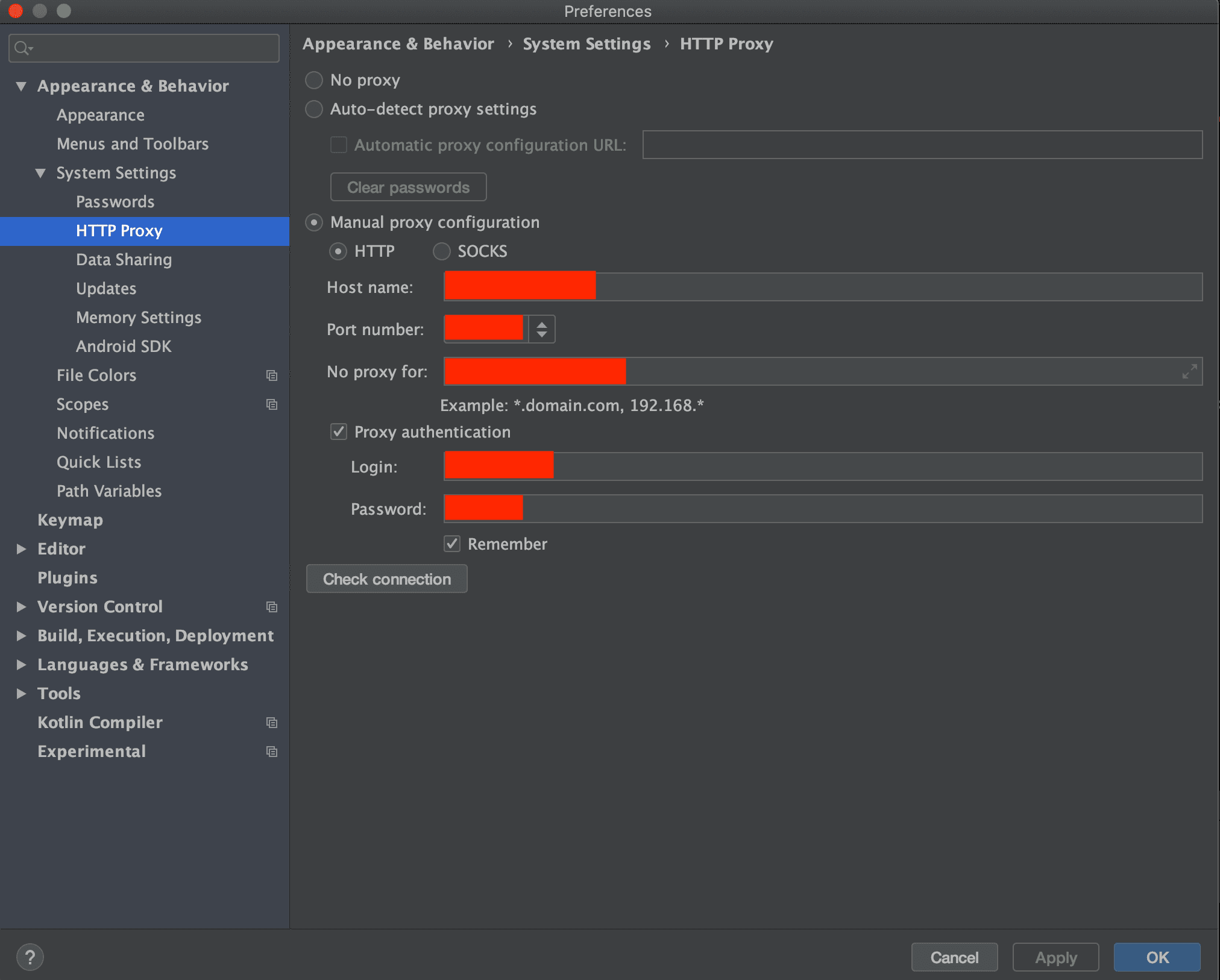
- Preference→HTTP Proxy を設定する
- Host name
- ホストの URL
- Port number
- ホストのポート
- No proxy for
- プロキシ環境外の IP アドレス
- Login
- ユーザーネーム
- Password
- パスワード
- Host name